How Long Does Temporary Email Last? Address Access vs Message Retention
By OTPINB Team · Published 2026-11-03 · Reviewed 2026-11-03
There is no single timer that explains how long a temporary email lasts. The address may still exist after an old message is removed, a public lookup may stop working under its own expiry rules, and a sender can reject a code while the email remains readable.
For OTP Inbox's current plan rules, Free Inbox and Sent messages use 1-day retention; active Premium uses 30 days from message arrival or creation. Those are message-retention rules, not a promise that an address will remain available forever.
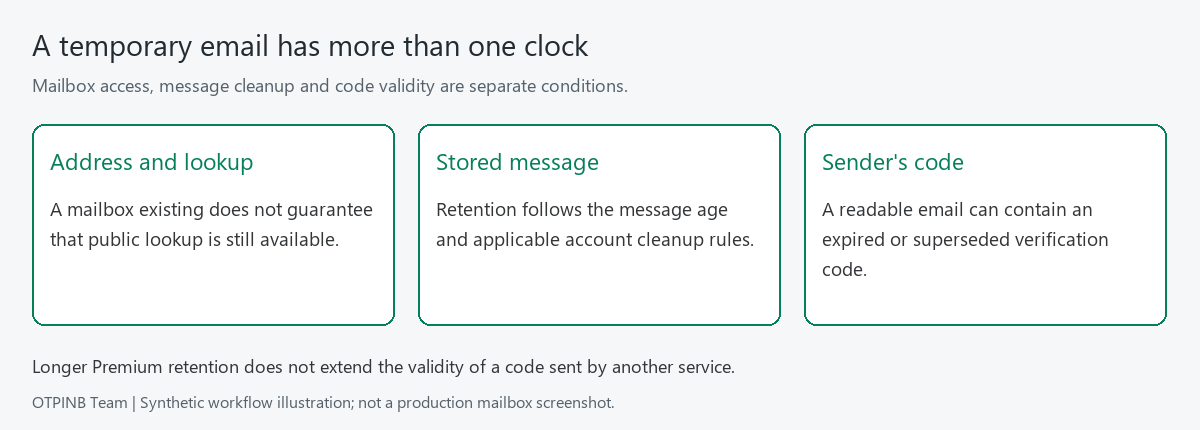
Four clocks to keep separate
| Clock | What it controls | Where the rule comes from |
|---|---|---|
| Address availability | Whether a mailbox still exists and can be used | Mailbox and operator cleanup rules |
| Public lookup access | Whether Quick Inbox can return that public mailbox and its exposed messages | Public-inbox policy and expiry |
| Stored-message retention | How long Inbox/Sent records remain eligible to be kept | Account role, message age and cleanup policy |
| Verification-code validity | Whether a code or confirmation link can complete an action | The service that sent it |
These clocks are related, but one does not extend the others. A Premium retention period does not keep a sender's login code valid for 30 days. A mailbox appearing in your account does not prove that every old message remains available through Quick Inbox.
What the one-day Free rule means
The current Free retention rule concerns the age of stored Inbox and Sent messages. It should not be read as a guarantee that every address is deleted exactly 24 hours after creation.
Cleanup runs as scheduled work. A message remaining visible after a stated age is not an extension you can rely on; a public access window can also close independently. Read a message when you need it rather than treating a cleanup schedule as storage you control.
If your task requires recovery access months later, use a lasting private mailbox at the start. A successful temporary signup today does not ensure that the next recovery email will be available to you.
What changes with active Premium
Active Premium uses 30-day Inbox and Sent retention. The age belongs to each message: reopening it or switching between mailboxes does not restart that period.
As an illustration, a message received late in your membership is newer than a message received at the beginning. They do not share a new 30-day deadline just because you read them together. Membership expiry is another event that affects the applicable account rules.
Premium also raises mailbox and creation limits, but it does not make a public mailbox private. Choose longer retention only for content that is appropriate for that access model.
What happens when membership expires
When Premium expires naturally, Premium privileges end and Free rules apply. The cleanup implementation includes an additional 7-day protection from ordinary Free mail cleanup after natural Premium expiry.
That protection is a cleanup safeguard. It does not renew membership, restore Premium creation capacity, extend a sender's code validity, or promise that Quick Inbox will expose every message during that period. Do not treat it as seven additional days of full Premium service.
Manual account changes, mailbox deletion and other operator actions should not be assumed to behave like natural expiry. Check the account state and current plan information if a specific message matters.
Why a visible code may already be expired
The sender validates the code against its own request. A resend can invalidate an earlier code, and a confirmation link may be tied to a particular browser session or action.
Suppose two verification messages are stored in one inbox. Their presence tells you that two messages arrived. It does not tell you which code the sender currently accepts. Match the message to the latest applicable request and follow the sender's rules.
See the receive-and-copy walkthrough for handling multiple messages without confusing arrival order with request order.
Deleting a mailbox is a different action
Do not delete an address simply to test how long messages last. Deleting a mailbox and waiting for message cleanup are different operations, and deleting or unbinding does not refill a rolling creation allowance immediately.
For authorized QA, use separate fictional test accounts for retention, resend and address-removal cases. Record expected outcomes before acting, and avoid destructive tests against a mailbox that contains a record you need.
Choose the right kind of continuity
Use temporary mail when the task is short-lived and its messages can safely be public. Use an account to organize supported mailboxes, and consider Premium when the current capacity or retention is too short for your testing workflow.
For lasting ownership, private correspondence or account recovery, choose a private email service designed for that purpose. Compare OTP Inbox Free and Premium for the current product differences, then check the live Pricing page before buying.